
Speak on Select is one of the most efficient ways to use Sensory Readable for short reading tasks. With it enabled, the moment you finish making a text selection — by clicking and dragging, or with Shift+arrow keys — Readable starts speaking the selected text automatically.
There is no need to press Play, F7 or any other trigger. The selection itself is the trigger.
How Speak on Select works
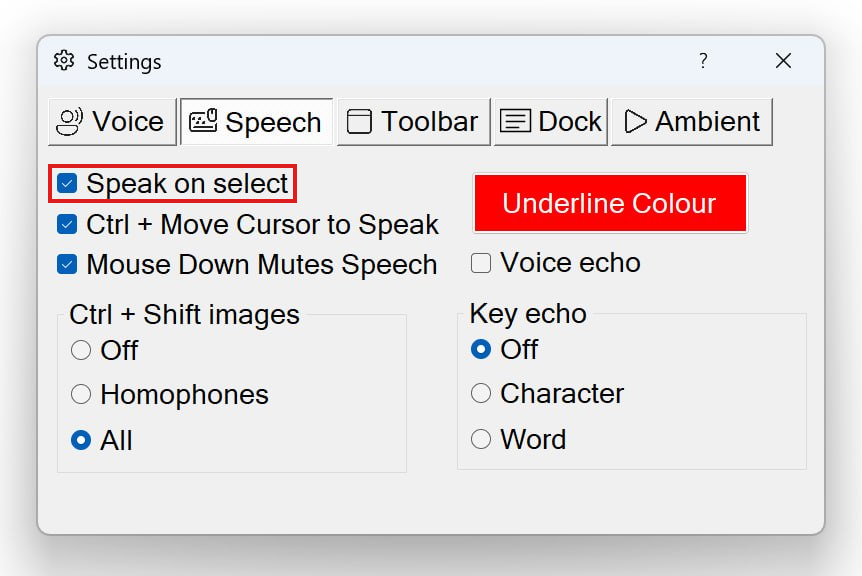
- Make sure Speak on Select is enabled in Settings
- Highlight any text — click and drag with the mouse, or hold Shift and use arrow keys
- The moment you release the mouse button (or stop the keyboard selection), Readable starts speaking the selected text
- Word Underline appears on the original text as it is spoken, just as with any other reading method
- Press Ctrl to stop, or just make a new selection to interrupt and read something else
Turning Speak on Select on or off
- Open the Settings dialog from the Readable toolbar
- Go to the Speech tab
- Enable or disable Speak on Select
- Close the Settings dialog — the change takes effect immediately
When you might want to turn it off
Speak on Select means every selection triggers speech, which can be unhelpful when:
- You make selections for non-reading purposes (cutting and pasting, formatting, deleting) and don't want speech each time
- You work in a quiet environment where unexpected speech is disruptive
- You prefer a more deliberate "select then trigger" pattern
For these cases, turn Speak on Select off and use Play (or F7) to trigger speech only when you want it.
Speak on Select alongside other features
With Hover Read Modes: the two are complementary. Hover is for browsing — point to read; Speak on Select is for deliberate reading — select to read. Many users keep both on simultaneously.
Interaction with Click Stops Speech: if Click Stops Speech is enabled (the default), the click that begins a selection stops any ongoing speech immediately. Once you release the mouse and the selection is complete, Speak on Select reads the new selection. So in normal use the two settings cooperate naturally — clicks stop the previous speech, releases trigger speech for the newly-selected text.
With voice typing: Speak on Select does not interfere with Voice Typing — they operate on different inputs.