
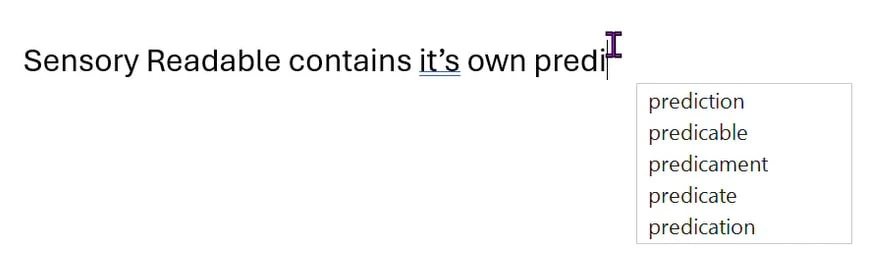
The Sensory Prediction Engine is the word-prediction technology developed by Sensory App House. It powers the suggestions that appear as you type when Sensory Prediction is selected as your prediction mode in the Readable Editor.
What makes it different
The Sensory Prediction Engine adds a layer of phonetic understanding: it knows how letters and letter combinations sound, and it uses that to suggest words that sound like what you typed — even when the spelling is wrong.
Phonetic rules
The engine includes a comprehensive set of phonetic substitution rules covering the patterns most commonly involved in dyslexia-related spelling difficulties. Examples (illustrative — exact rule list to be confirmed):
- ph ↔ f — "fone" suggests "phone"
- silent letters — "nife" suggests "knife", "rite" suggests "write"
- vowel substitution — "skreem" suggests "scream", "luv" suggests "love"
- doubled consonants — "buble" suggests "bubble"
- i/y substitution — "myte" suggests "might"
- letter reversals — "girl" typed as "gril" still suggests "girl"
The rules are applied in combination — meaning a word with several spelling differences (e.g. "fizical" → "physical") can still be matched.
How to use the engine
The Sensory Prediction Engine is activated by switching to Sensory Prediction mode in the Editor's Prediction tab. From that point on, all prediction inside the Editor uses the engine.
As you type, suggestions appear in the prediction strip — typically a horizontal bar showing 3–5 suggestions ranked by relevance. Click a suggestion or use the function keys to accept it.