
Welcome to Sensory PDF Reader.
Sensory PDF Reader is an accessible PDF reader for Windows, Mac and Chromebook. You can change the background colour and text size of your PDF, and also speak words, lines, blocks or whole sections of text if your PDF file is accessible.
Sensory PDF Reader offline version (with built in text to speech voices) can be used in school examinations and tests as a "computer reader". For scanned or inaccessible PDF files or photographs of documents, where the text is not available, you can convert the file using PDF Convert or other conversion tools.
You can choose to set Sensory PDF Reader as the default PDF file handler on your Windows PC. We do not request this automatically. Information about how to do this is available on this Microsoft Help Page
Here the main Sensory PDF Reader view and settings shown on Windows, but is similar on Mac and Chromebook.
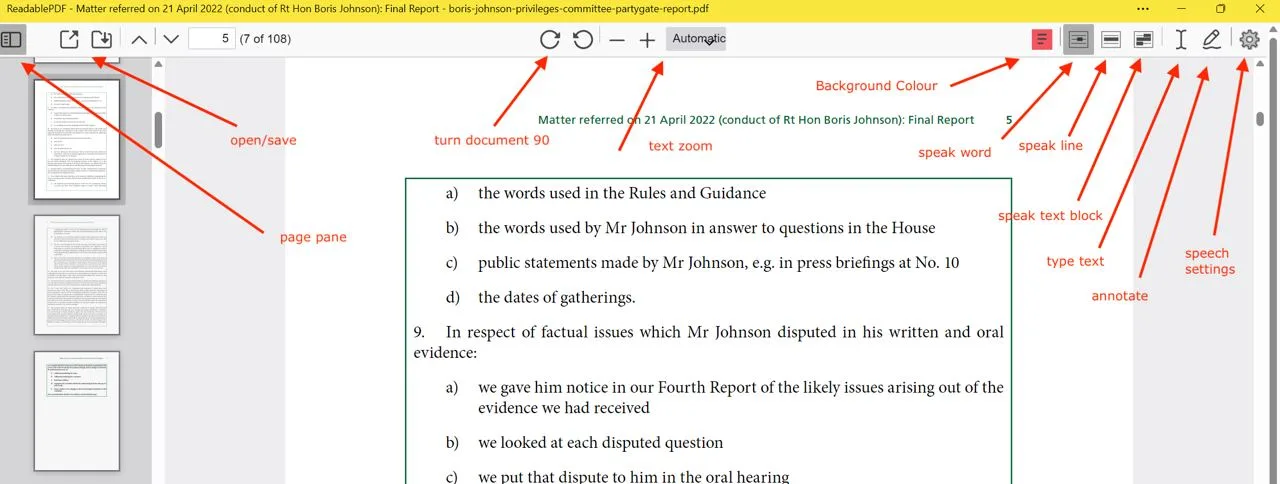
To have the document read aloud, hover the mouse over the text. Sensory PDF Reader can speak the Word, Line or Block under the pointer, or read a larger region of the page in one go with the new Speak Section option. You can also select text with the mouse to have it spoken. To stop speech, press Ctrl or left-click.
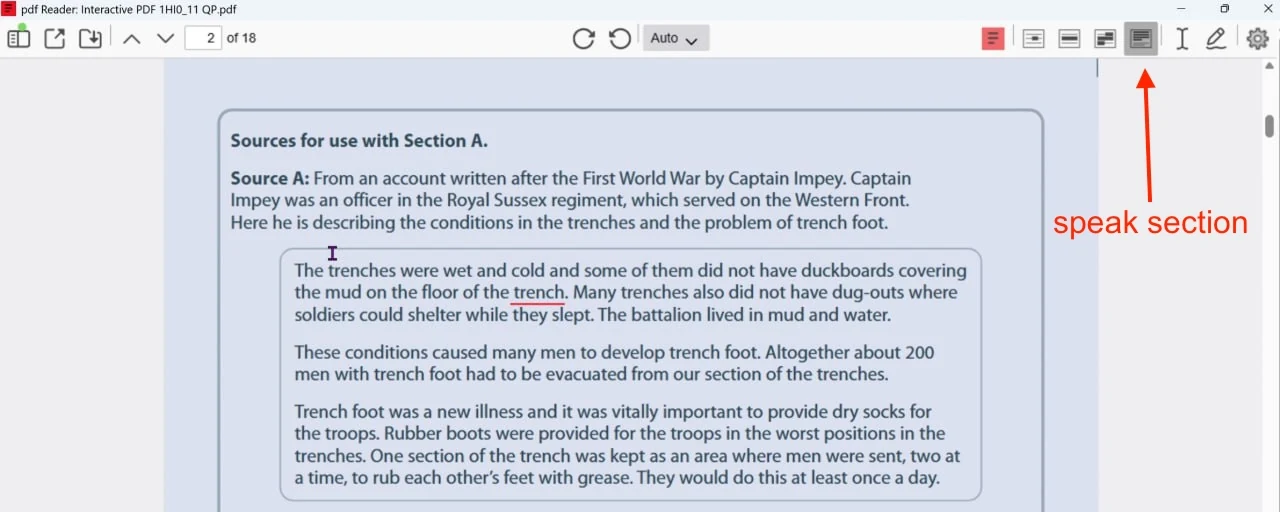
The video shows Sensory PDF Reader (Windows) in use with accessible PDF Examination past papers (internet access required).